
Apple Intelligence for your menubar.
On-device AI via Apple Intelligence - no API keys, no cloud, no Ollama.
v1.1.0 · macOS 26 Tahoe required · Apple Silicon
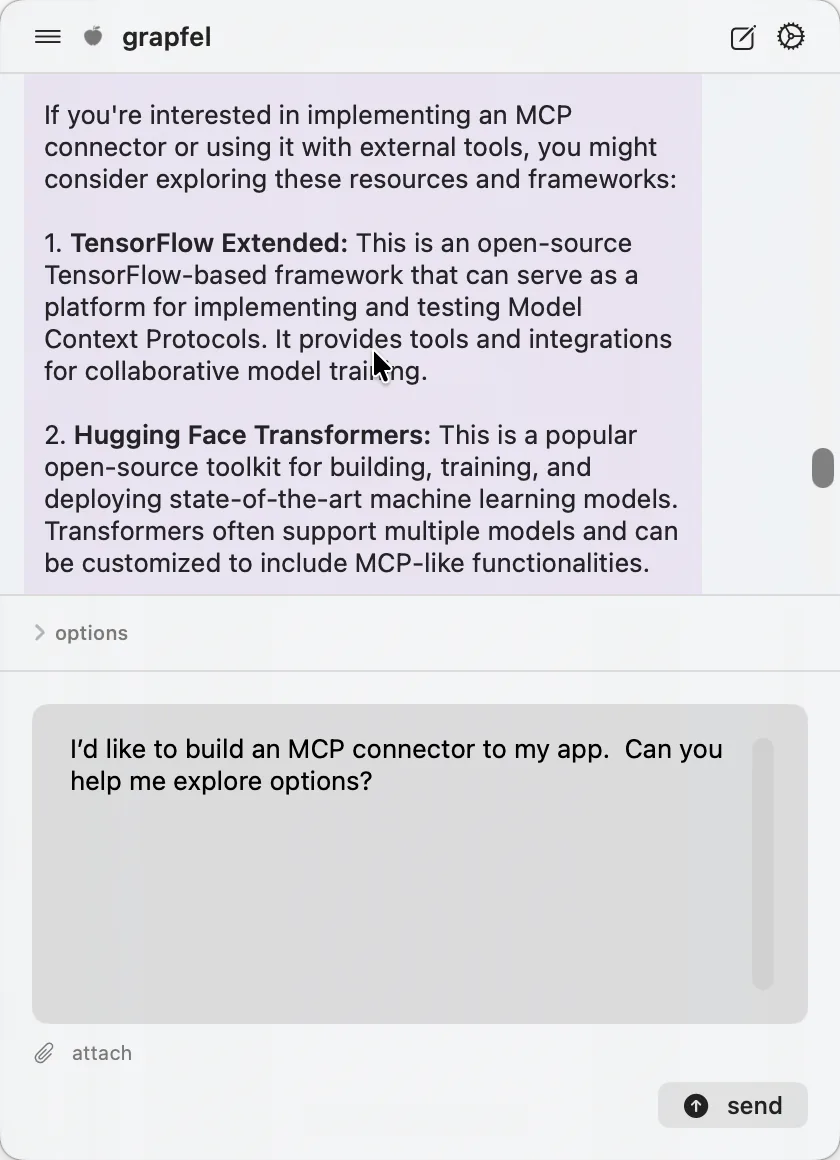
On-device, always private
Grapfel runs on Apple's on-device model. It doesn't send your prompts or responses anywhere. No API keys, no subscriptions, no cloud. Set your retention mode in Settings: session-only, last 50 turns, or unlimited.
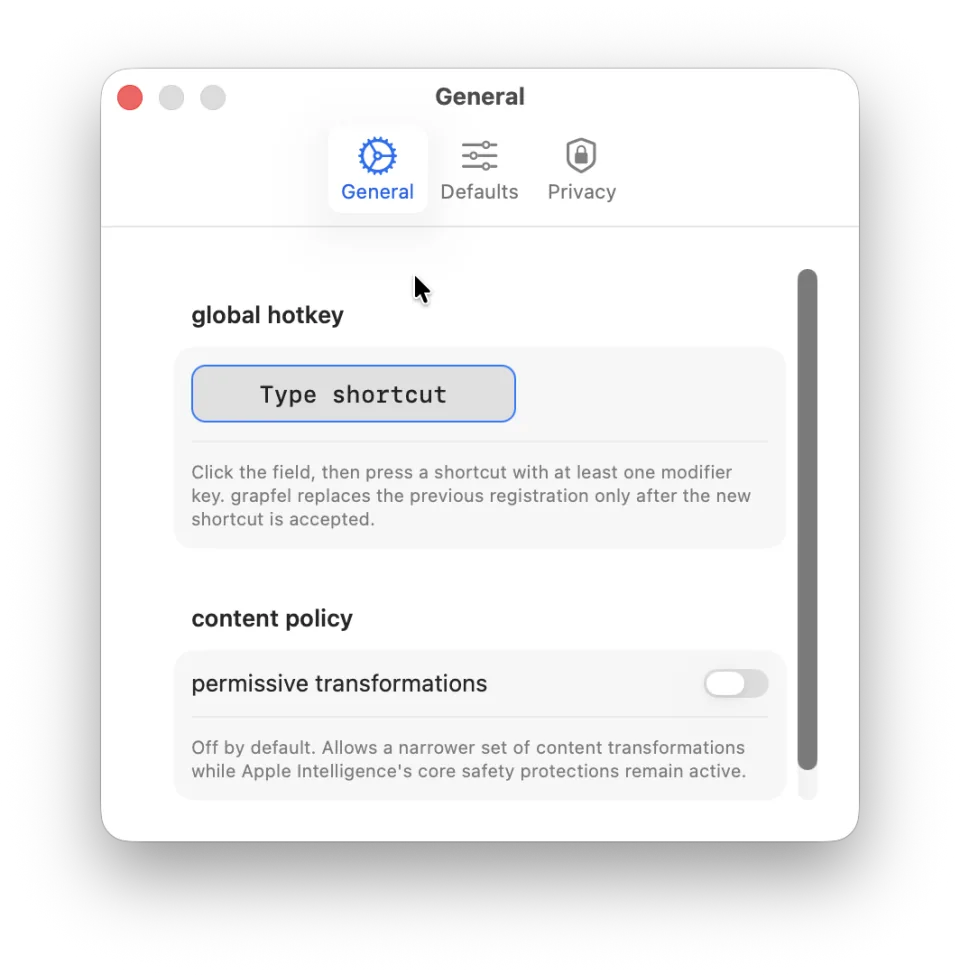
⌘⇧Space - your way
A global shortcut drops grapfel in front of whatever you're doing. The default is ⌘⇧Space - record any combo you prefer in Settings.
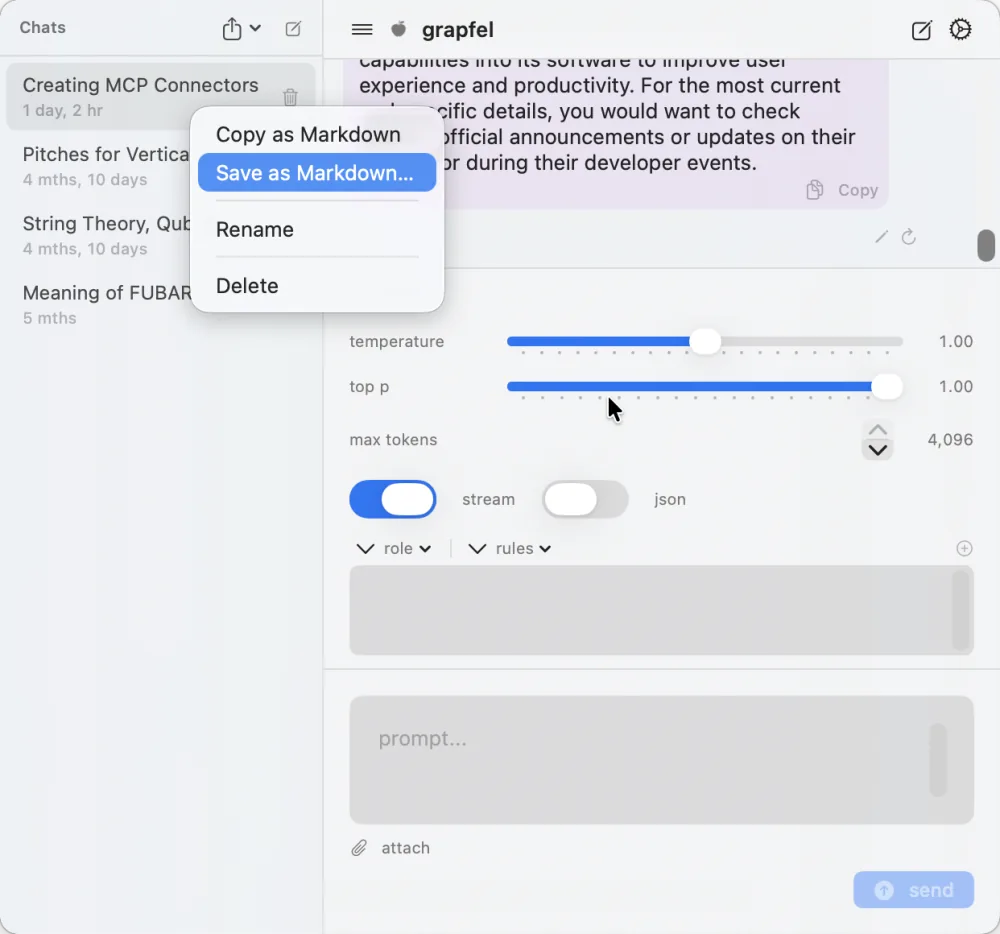
Conversations sidebar
A sidebar of named conversations, each auto-titled from your first message. Replies show as formatted Markdown. Switch, rename, delete, or export any conversation as Markdown or JSON.
What's new in 1.1.0
- Runs on Apple's on-device model. No apfel and no Homebrew.
- Replies render as Markdown, and you can export them.
- Fixed the menubar first-click.
- New Copy Diagnostics menu item. It copies version and error info so you can paste it into a GitHub issue. It sends nothing.
- Update checks don't include any system information.
before you start
turn on Apple Intelligence
System Settings → Apple Intelligence & Siri → turn on. Requires macOS 26 Tahoe and a Mac that supports Apple Intelligence. Nothing else to install.
get help
Common questions about grapfel, plus direct lines to report bugs or request features.